Digital Watercolor Paper Texture – A Creative Essential for Artists
Whether you're a digital artist, a graphic designer, or someone who loves the organic feel of traditional media, the right texture can make all the difference in your work. Digital watercolor paper texture is more than just an aesthetic choice—it's a crucial element that enhances the realism and emotional depth of your digital creations. In this article, we'll explore what digital watercolor paper texture is, why it matters, and how to use it effectively in your creative workflow.
The Art of Digital Watercolor Texture
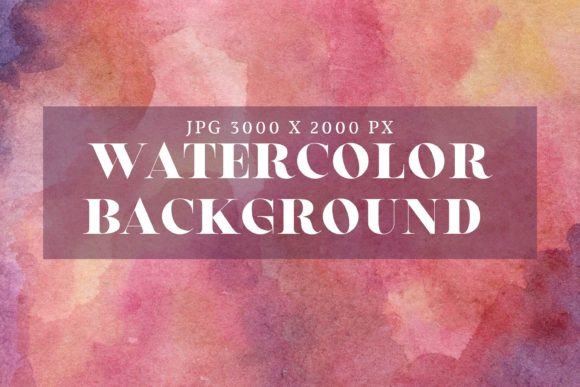
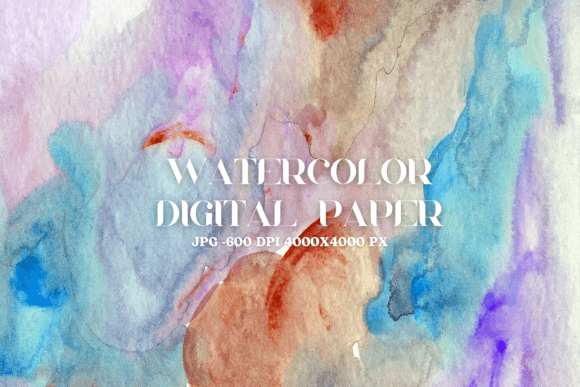
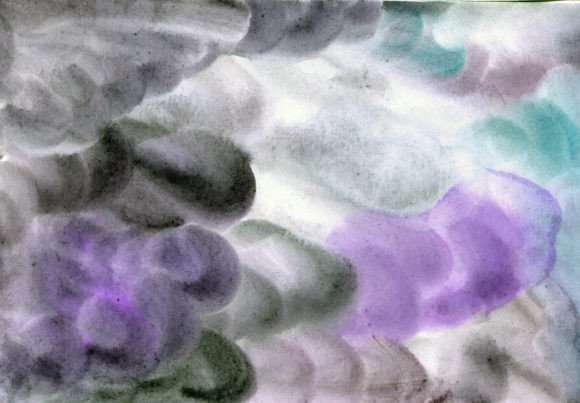
Digital watercolor paper texture refers to the simulated surface of traditional watercolor paper that artists apply to their digital artwork. This texture mimics the grain, absorbency, and irregularity of physical paper, allowing digital creators to achieve a handcrafted look without the need for physical materials.
Unlike flat digital canvases, textured surfaces add visual interest and authenticity to digital paintings. The subtle variations in the paper’s surface help create a sense of depth and dimension, making your artwork feel more alive and natural. This is especially important for those working in the realm of digital illustration, book covers, or any project where a tactile, artistic feel is desired.
One of the most popular formats for digital watercolor textures is the JPEG file. These files are high-resolution, typically at 300 DPI and in RGB color mode, ensuring they maintain quality when printed or displayed on screen. Many artists prefer JPEGs because they are widely supported across design software and platforms, making them versatile for various projects.
Why Choose Digital Watercolor Paper Texture?
There are several reasons why digital watercolor paper texture is a valuable asset for creators:
- Enhanced Realism: Adding texture gives your artwork a more authentic, hand-painted feel, which is essential for certain art styles.
- Visual Depth: Textured backgrounds or layers can dramatically improve the depth and richness of your compositions.
- Design Flexibility: You can experiment with different textures to find the one that best suits your style or project needs.
- Professional Quality: High-resolution textures ensure that your final output maintains clarity and detail, whether printed or viewed digitally.
When selecting a digital watercolor paper texture, consider the resolution and dimensions. For instance, a 3000x2000 pixel image at 300 DPI is ideal for both digital use and print, offering excellent clarity and scalability. This makes it suitable for a wide range of applications, from personal art projects to commercial designs.
How to Use Digital Watercolor Paper Texture Effectively
Incorporating digital watercolor paper texture into your workflow requires some planning and experimentation. Here are a few practical tips to help you get the most out of this resource:
1. Layering Techniques: One of the most effective ways to use digital watercolor textures is by layering them beneath your artwork. This allows the texture to subtly influence the overall look while keeping your main elements in focus. You can adjust the opacity to control how much of the texture shows through.
2. Backgrounds and Surfaces: Using a textured background can enhance the mood and atmosphere of your piece. Whether you're creating a landscape, portrait, or abstract design, a well-chosen texture can elevate the visual impact.
3. Experimentation: Don't be afraid to try different textures and see how they interact with your colors and brush strokes. Some textures may work better with certain styles, so it's worth exploring a variety of options to find what fits your vision best.
4. Software Compatibility: Make sure the texture format you choose works with your preferred design software. Most digital art tools support JPEGs, but it's always good to double-check before downloading and using a new texture.
Where to Find and Download Digital Watercolor Paper Texture
Many artists and designers offer digital watercolor paper textures as downloadable resources. When searching for these, look for reputable sources that provide high-quality files in common formats like JPEG. Some platforms may require a subscription to access exclusive textures, while others offer free downloads with limited features.
After downloading, you’ll typically receive a ZIP file containing the texture image. This file includes a single JPG image at 300 DPI, RGB color mode, and a resolution of 3000x2000 pixels. These specifications ensure that the texture is both high-quality and versatile for various uses.
If you’re looking for more options or want to stay updated on new releases, consider subscribing to the creator’s channel or website. Subscribers often receive notifications about upcoming products and exclusive content, giving them first access to the latest textures and design tools.
Practical Benefits and Considerations
Using digital watercolor paper texture offers numerous practical benefits for both amateur and professional artists. It can save time by reducing the need for physical materials, and it allows for greater flexibility in your creative process. Additionally, it helps maintain consistency in your work, especially if you're producing multiple pieces for a portfolio or client project.
However, there are also considerations to keep in mind. For example, some textures may not be compatible with certain software or may require additional processing to integrate smoothly into your artwork. It's also important to respect copyright and licensing agreements when using downloaded textures, especially if you plan to sell your work or use it commercially.
Ultimately, the decision to use digital watercolor paper texture depends on your personal preferences and project requirements. If you're aiming for a more organic, handcrafted look, then incorporating this texture into your workflow could be a game-changer.
Thank you for visiting me. I hope this guide has helped you understand the value of digital watercolor paper texture and how it can enhance your creative process. If you're interested in staying updated on my latest products and resources, consider subscribing to my newsletter or following my social media channels. I’m always excited to share new ideas and tools that can inspire your next project.